
Work rarely starts on a board. It starts when someone books a call: a client review, an interview, an incident post-mortem. The calendar knows about it immediately. The board finds out when somebody remembers to write it down.
Syncing the other direction closes that gap — events become items, and the work that comes out of a meeting has somewhere to live.
Why the reverse direction matters
Teams usually set up board-to-calendar first, and it solves half the problem. The other half is everything scheduled outside the board: calls booked by a colleague, interviews arranged by a recruiter, reviews a client put in your diary.
None of that appears in monday.com unless somebody types it. And what isn't on the board isn't assigned, isn't tracked, and isn't visible when the week is planned.
If a meeting is worth an hour of three people's time, it is worth a row on the board.
Turning it on
In the sync view, tick When an event is created in the calendar, create a linked item in the board. If you also want later edits to reach the board, tick the rule below it — moving an event then moves the item's date.
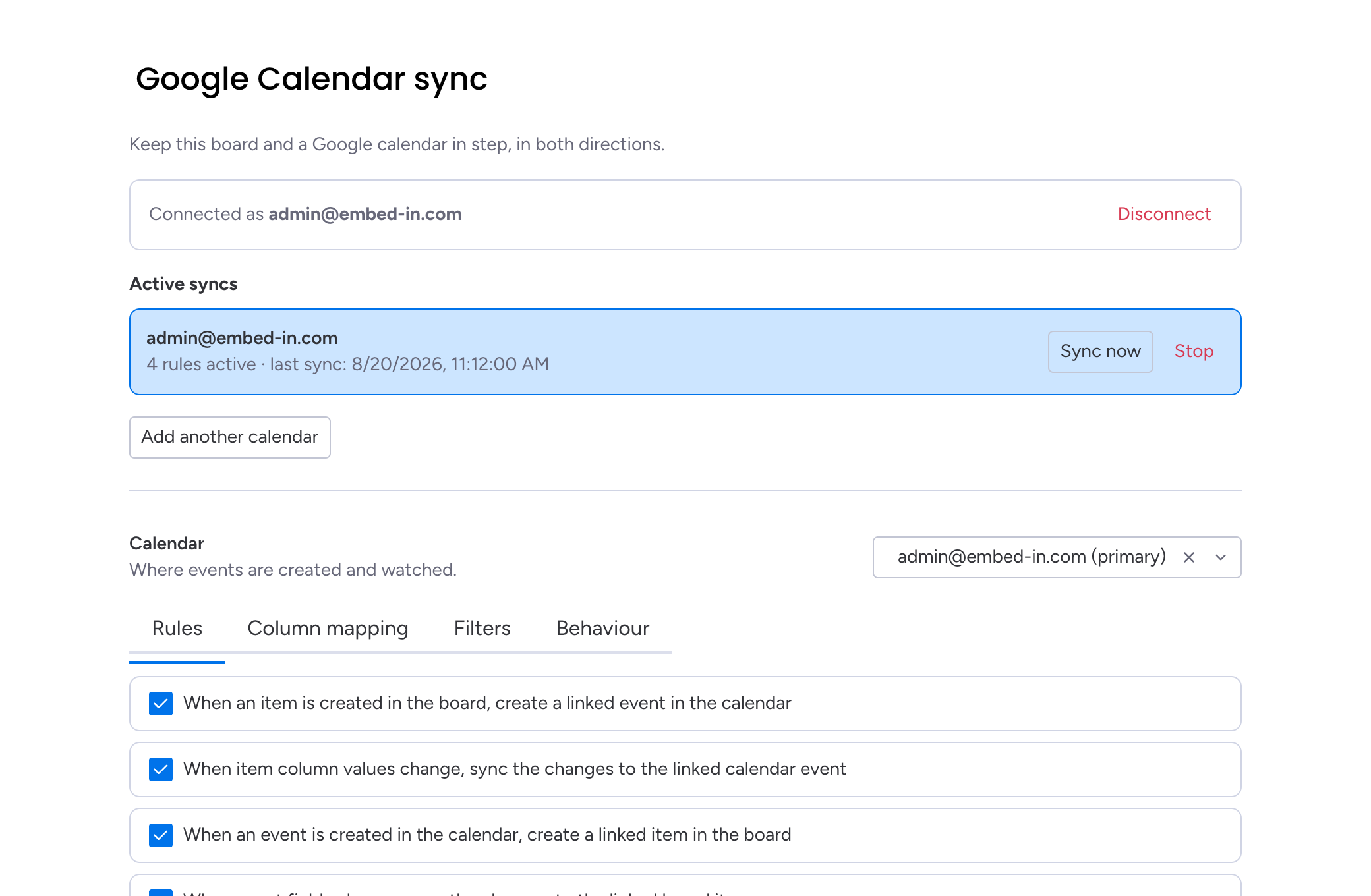
The first run brings in the calendar as it stands today; after that, new events appear on the board within seconds.
Events the app created are not re-importedItems you published to the calendar don't come back as duplicate items. Each event carries a link to the item it came from.
Where new items land
Choose the group that receives them. A dedicated Meetings or Incoming group works better than the top of your main group: everything arrives in one predictable place, and triage is a five-minute job rather than a hunt.
Each new item gets the event's title and its date in the mapped column, plus description, location and the meeting link if you mapped those. From there it behaves like any other item — assign it, add a status, move it to the right group. The link to the event survives all of that.
Keeping the board clean
The honest risk with this direction is noise. A personal calendar full of one-to-ones and dentist appointments will happily fill a board with rows nobody needs.
- Sync a team calendar, not a personal one. Most teams already have a shared calendar for the things that matter to everyone.
- Or create a calendar for the board. A calendar named after the project keeps the sync tightly scoped, and colleagues can add to it deliberately.
- Decide what deletions do. When an event is cancelled, the item can be archived, deleted, or simply stripped of its date. Archiving is the safe default: the record stays, the noise goes.
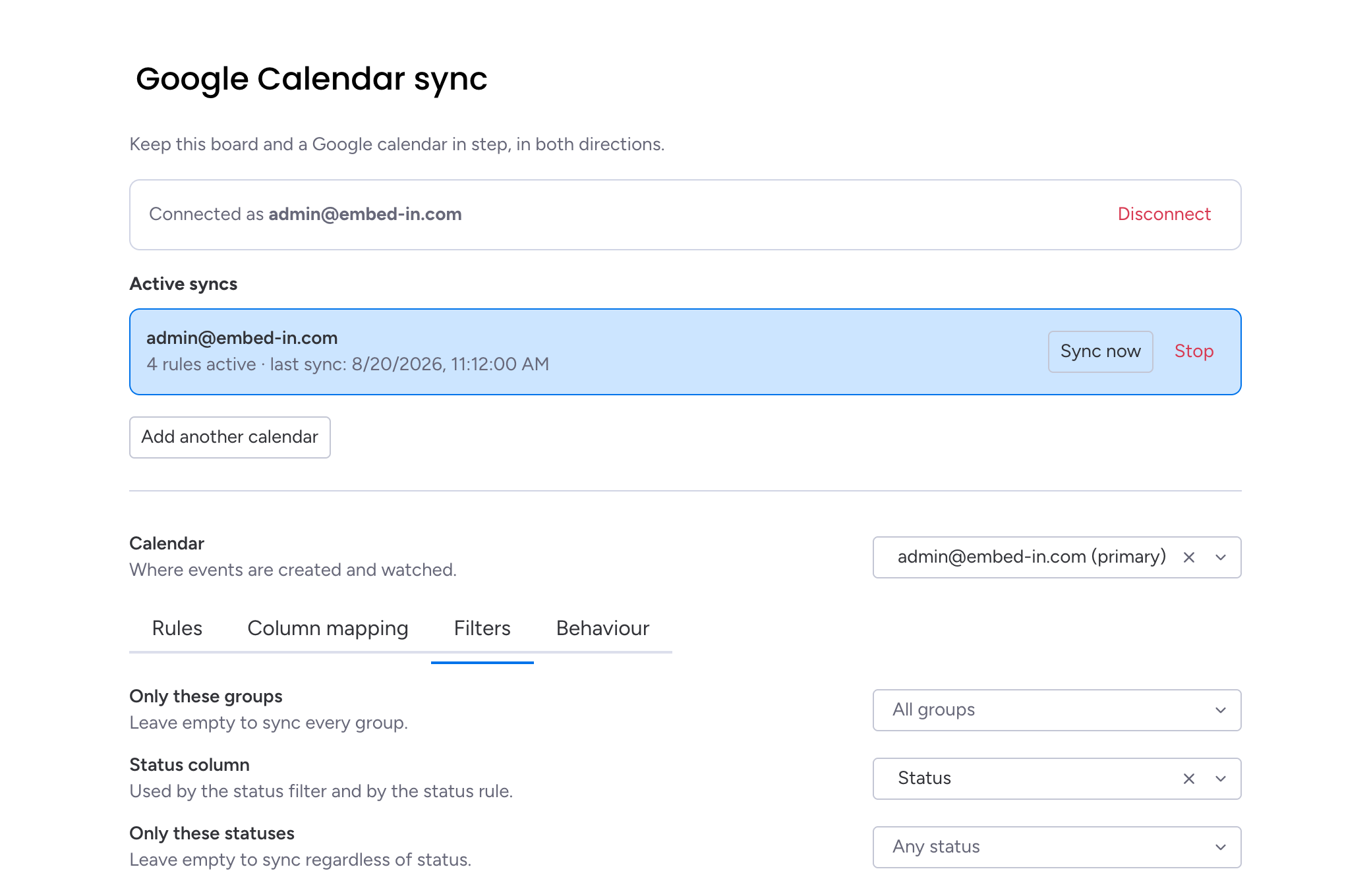
Run it for a week before judgingWatch what arrives for a few days with archiving as the delete policy. If the volume is wrong, the calendar is usually the thing to change, not the sync.
Pair this with the opposite direction — items becoming events — and the board and the calendar stop being two versions of the same week.
Embed & Sync Google Calendar
Embed a Google Calendar on your monday.com board, or keep a board and a calendar in step in both directions.
Key takeaways
- Work often starts in a calendar; syncing that direction gets it onto the board without retyping.
- Two rules control it: create items from events, and follow later event edits.
- Send new items to a dedicated group so triage happens in one predictable place.
- Scope the sync by choosing the right calendar, and pick what a cancelled event does to its item.