
SOP & Compliance Checklists for monday.com
Turn any item into a run-able procedure — per-task status, owners and due dates, plus a formal sign-off, a full audit trail and a tamper-evident audit report. Built for SOPs, QA gates and compliance, and it runs entirely on monday.com.
Runs entirely on monday.com — no external servers, your data stays in your account.
A procedure engine that behaves like part of monday.com
Not a bolt-on. It reads your board's people and columns, writes progress back, keeps a record of who did and approved what, and stores everything in your own account.
Sign-off & audit trail
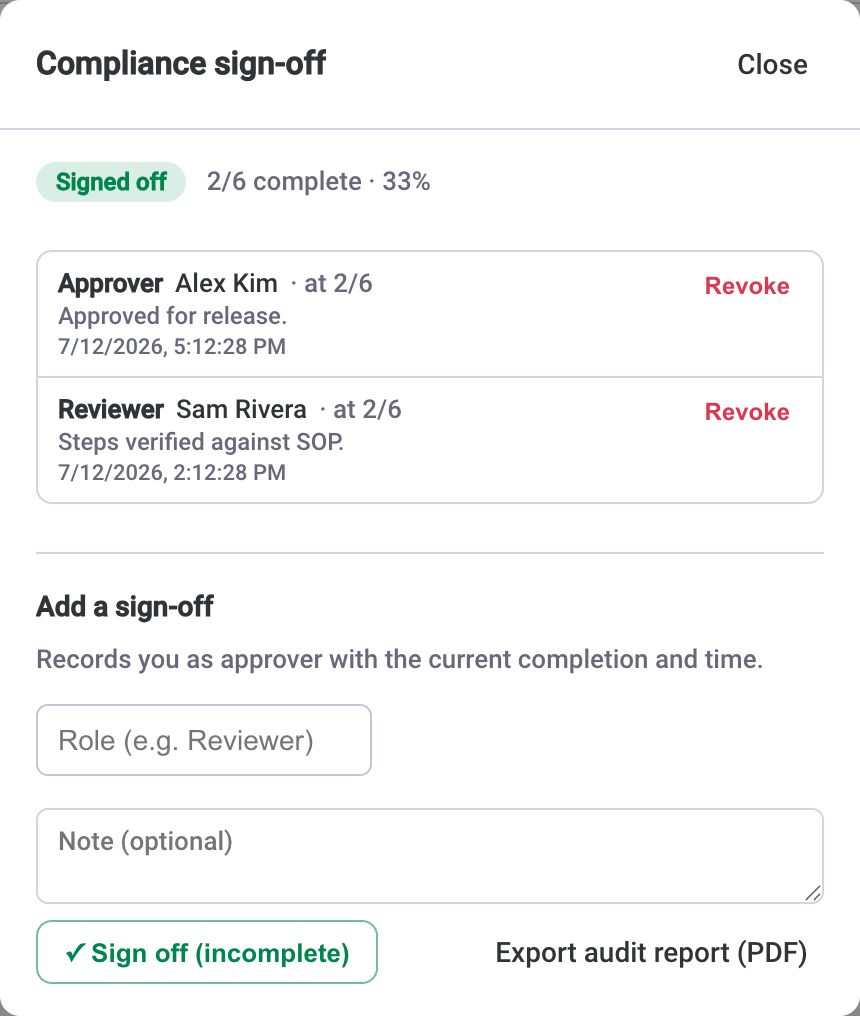
Certify a checklist with a formal sign-off, get flagged if it changes after, and export a tamper-evident audit report.
Progress everywhere
Completion syncs to a column and shows up in the board table, a Board View, a dashboard widget and trend analytics.
SOPs & templates
Save a procedure once and reuse it, bulk-apply it, or repeat it daily, weekly or monthly with a completion streak.
What it does
Turn any monday.com item into a real procedure. Break work into steps with statuses, assign owners from the board, set due dates and estimates, group steps into sections, add dependencies so steps run in order, and save reusable templates — right inside the item card where your team already works.
For work that needs a record, add a checklist-level sign-off (role, who, when), keep a full audit trail of every change, and export a tamper-evident audit report. Completion syncs to a column so progress shows in the board table and dashboards, a Board View aggregates every item, and a dashboard widget rolls it all up.
The app runs entirely on monday.com infrastructure — no external database, no separate hosting, and your data never leaves your account.
Everything a procedure should do — inside the item
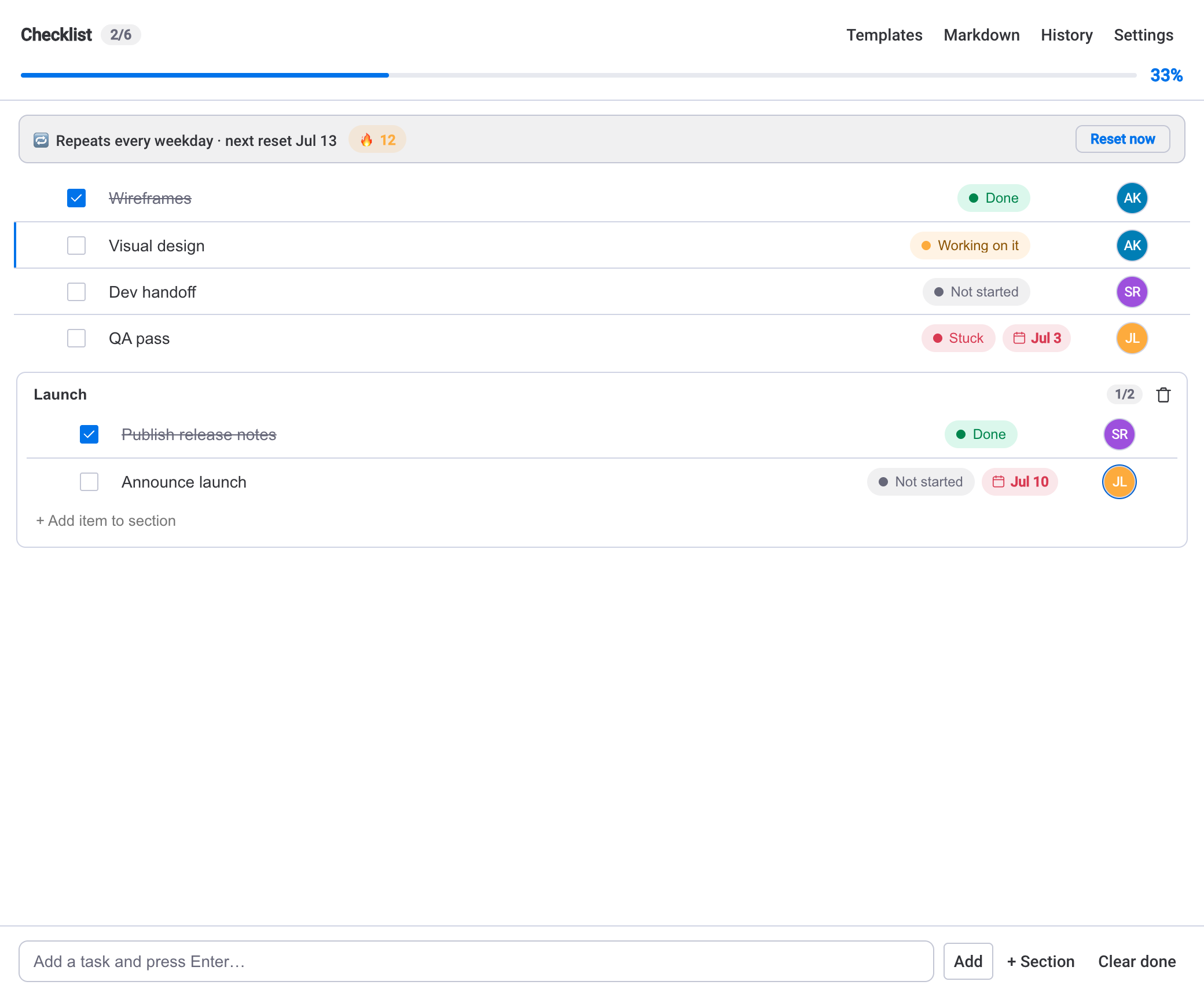
Checklists inside every item
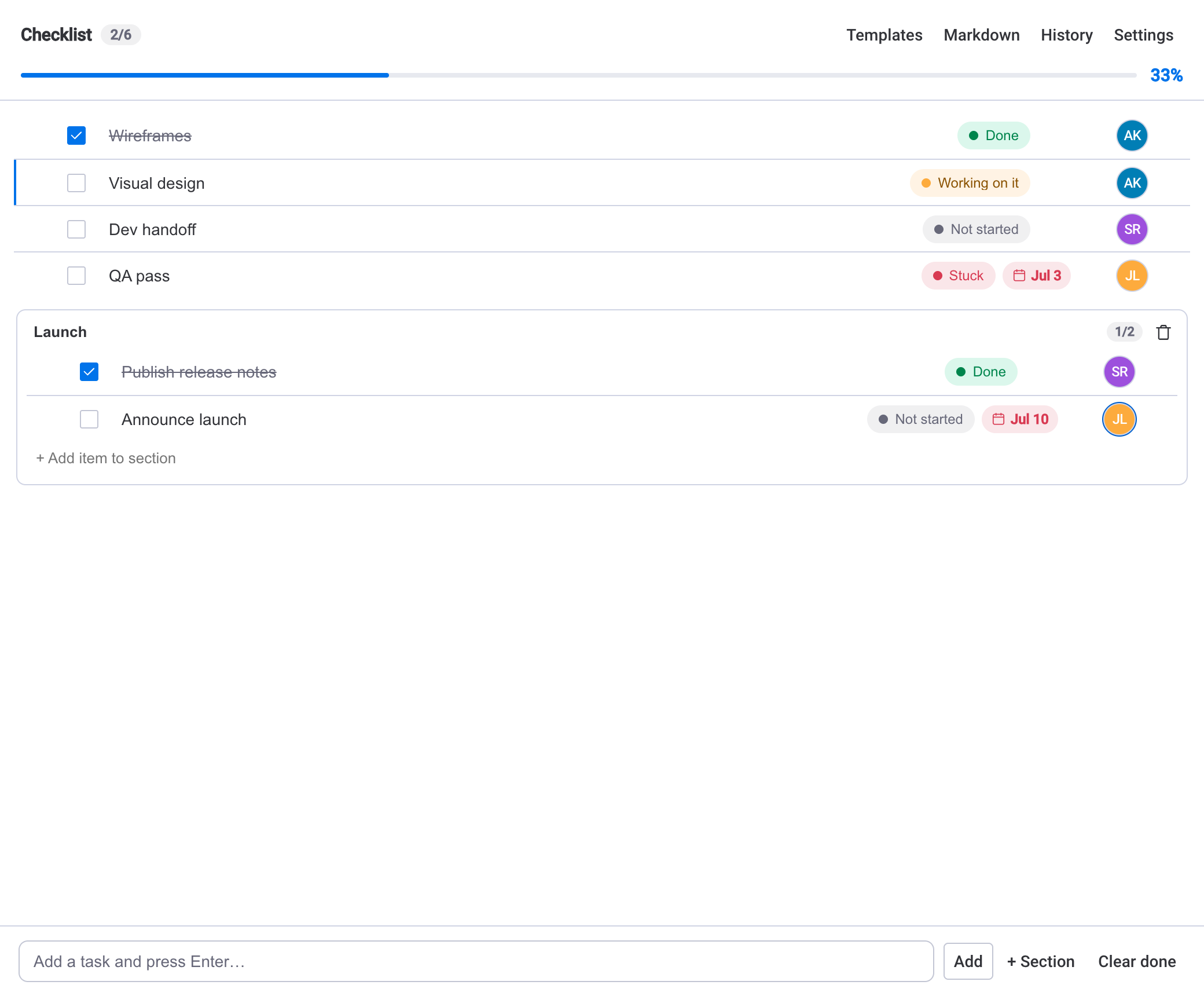
Add, check, rename and reorder steps with a live progress bar, counter and percentage. Give each step a status, an owner, a due date and an estimate. Add dependencies so blocked steps wait their turn — and it saves itself.
Sign-off & a tamper-evident audit trail
Certify a whole checklist with a formal sign-off — role, who and when. Any change after sign-off is flagged, every edit is recorded in a per-item and board-wide history, and you can export a tamper-evident audit report (PDF) with a SHA-256 fingerprint.
See every checklist across your board
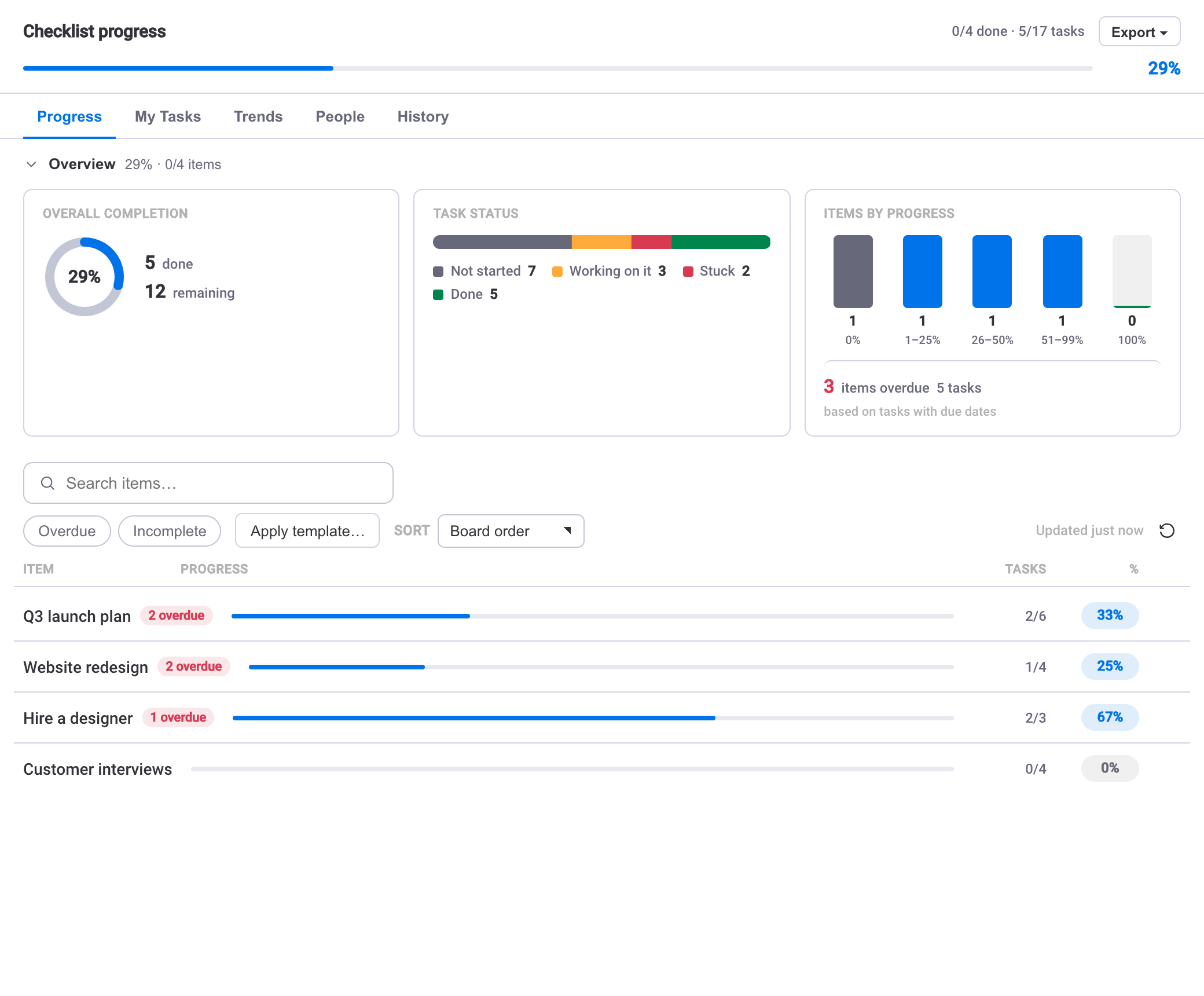
A per-item progress table with a completion overview, task-status breakdown and progress buckets. Search, sort and filter to the work that needs attention, then click through to the item.
Procedures that reset themselves
Repeat a checklist daily, weekly or monthly and keep a completion streak. Save any procedure as a template, set a board default, bulk-apply it to many items or duplicate one onto another.
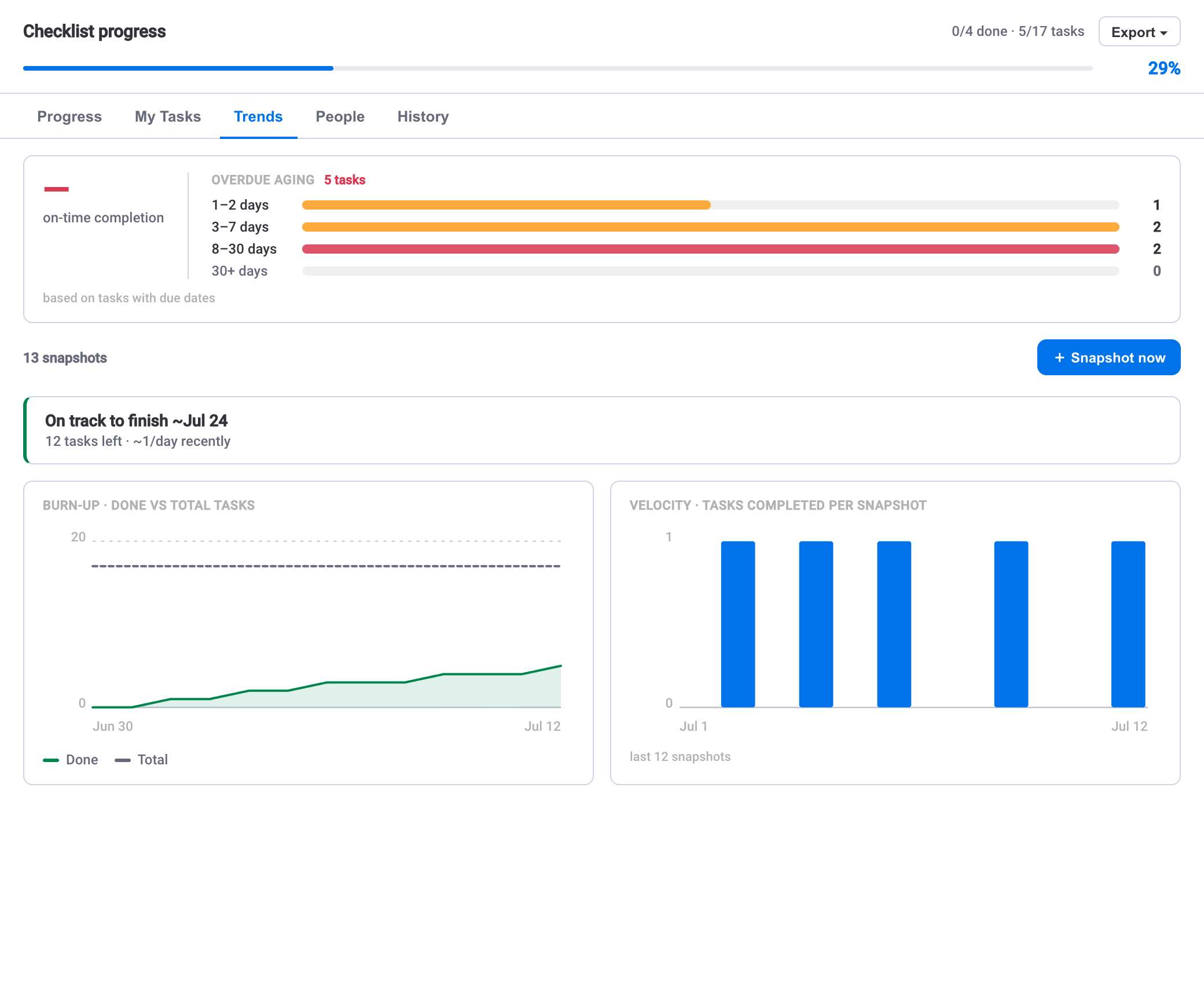
Answer “are we on track?”
Burn-up and velocity trends, a projected finish date, per-person workload and an on-time SLA — all built from daily snapshots, so you can see the trajectory, not just today's number.
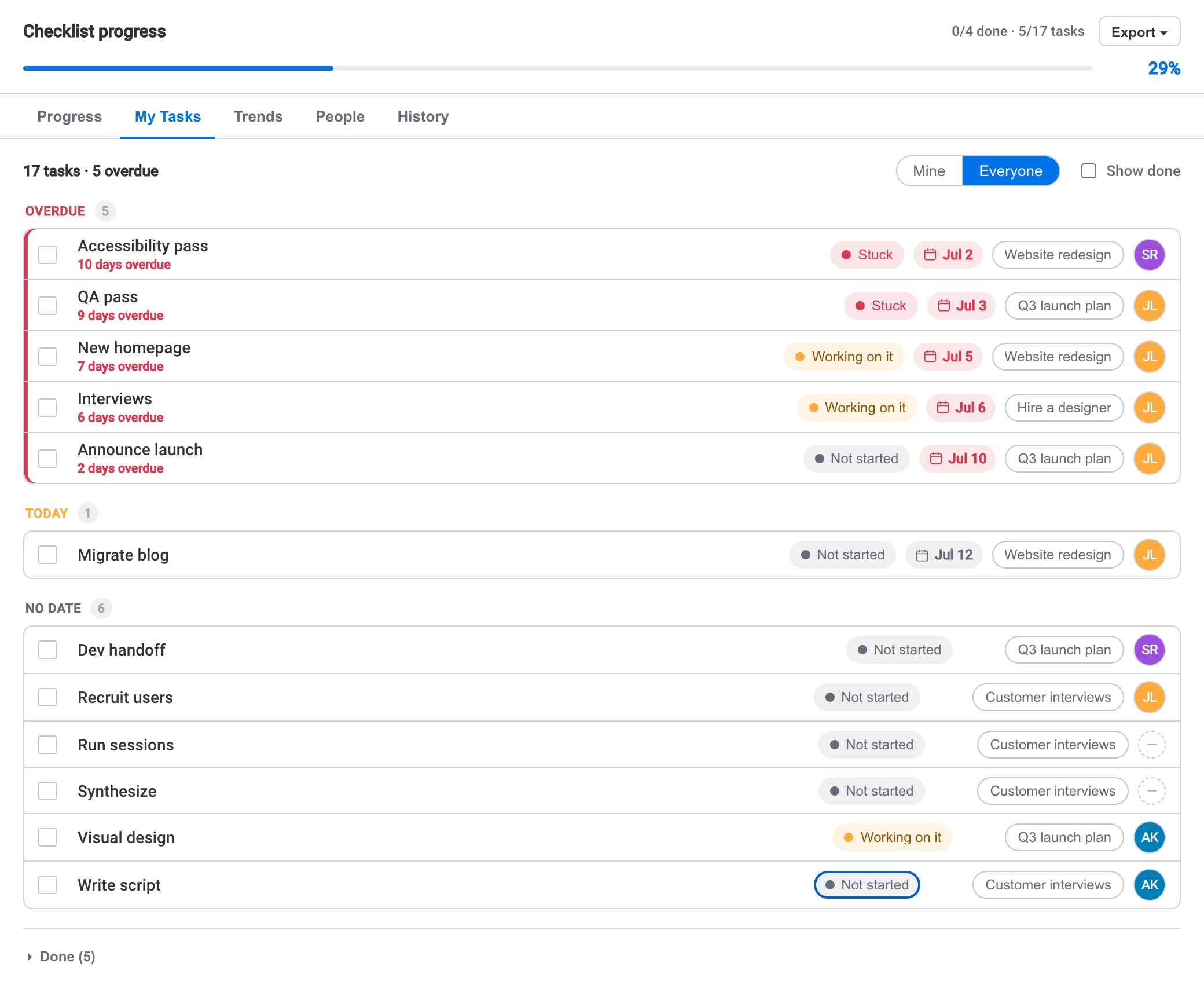
Everyone's tasks in one focused list
Every checklist task assigned to you across the board — and across all boards in the dashboard widget — grouped by due date. Tick it off, change its status or re-date it without opening a single item.
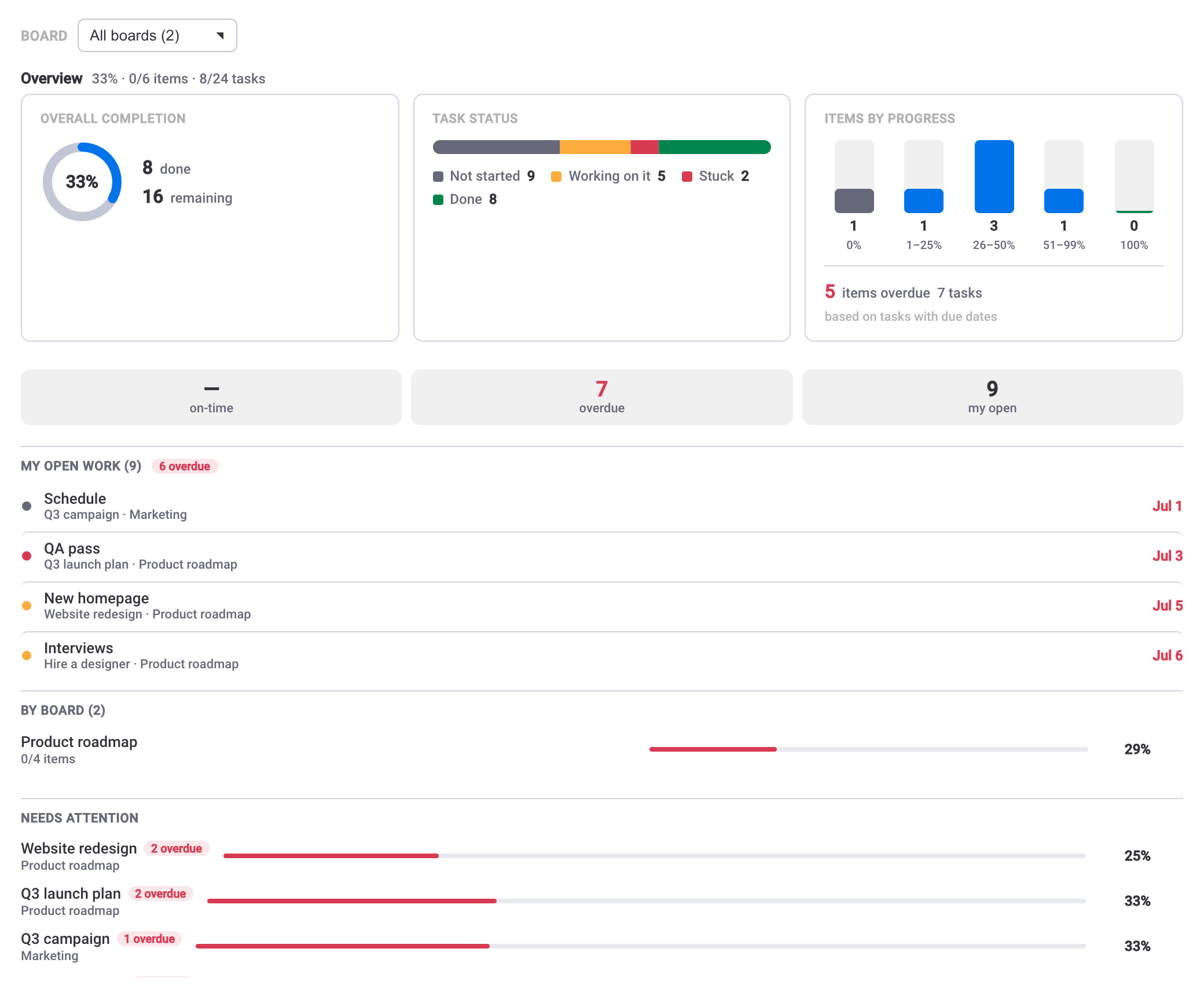
Roll up progress on your dashboard
One tile that aggregates checklist progress across boards, with a per-board breakdown and a needs-attention list — a fast read on where things stand.
Questions, answered
How is this more than a checklist?+
What is the tamper-evident audit report?+
Does my checklist data leave monday.com?+
Can I reuse a checklist and run it on a schedule?+
Does checklist progress show up on the board?+
How do I get support?+


Guides for SOP & Compliance Checklists
Practical how-tos and deep dives on running SOPs and compliance checklists in monday.com, from the team that builds the app.
How to run SOPs as checklists in monday.com
Turn a standard operating procedure into a repeatable, trackable checklist — with sections, owners, dependencies and a template you build once and run everywhere.
Read the guide →Compliance sign-off for monday.com checklists
Add a formal sign-off step to any procedure — role, who and when — flag changes made after approval, and keep a record you can stand behind.
Read the guide →Audit trails & tamper-evident reports in monday.com
Every change, who made it and when — plus a print-ready audit report with a SHA-256 fingerprint you can file and verify later.
Read the guide →How to build a recurring checklist in monday.com
Turn repeating work — onboarding, weekly releases, month-end close — into a routine that resets on schedule, keeps its order, and shows you whether it's being kept.
Read the guide →The monday.com checklist template: standardise repeatable work
Save a proven checklist once, apply it to any item in one click, and make every release, onboarding or handoff run the same steps in the same order.
Read the guide →monday.com checklist analytics: are you on track?
Completion percentages tell you where you are, not where you are heading. Here is how to read the trend view to catch slippage in time.
Read the guide →Run your procedures on monday.com
Install it on your account in a couple of minutes, or reach out with questions.