
 monday.com · Guide
Most teams run the same handful of processes over and over: shipping a release, onboarding a client, closing a support case, publishing a piece of content. The steps rarely change, but the way they get captured does. Someone types a fresh list into a monday.com item, forgets step four, assigns the wrong owner, and the process drifts. A monday.com checklist template fixes that drift by letting you save a proven checklist once and apply it to any item in one click, so every item runs the same steps, in the same order, with the same owners and sections.
This article covers what a template actually is inside the SOP & Compliance Checklists app, how it standardises a repeatable process, when it makes sense to templatise (and when it does not), how to keep templates from going stale, and how templates relate to recurring routines and to native subitems.
What a monday.com checklist template is here
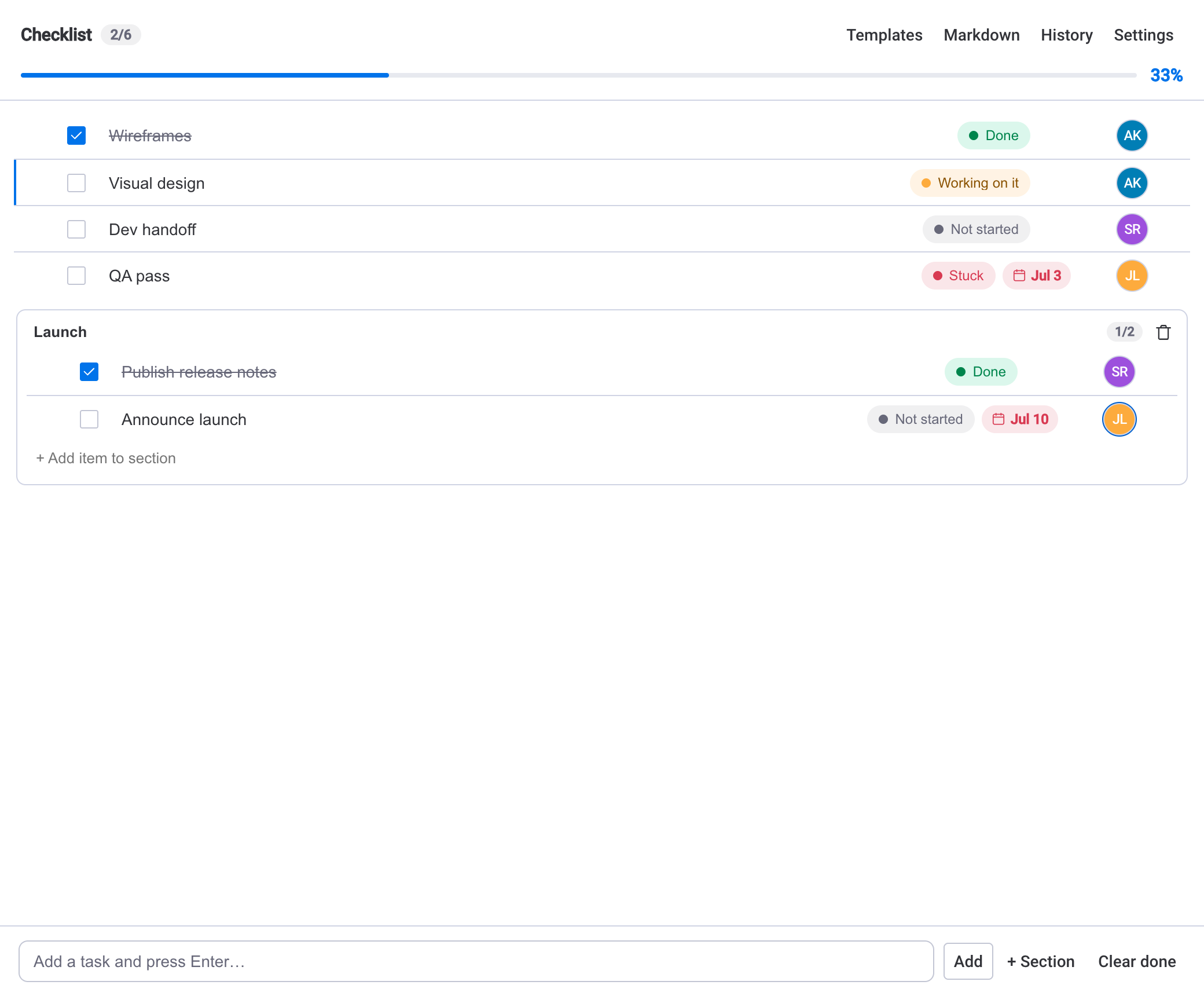
In the SOP & Compliance Checklists app, a template is any checklist you have already built, saved for reuse. You take a working checklist on an item — its steps, their order, the sections you grouped them into, the status each step carries, the owner picked from the board's people, and the due-date structure — and save the whole thing as a reusable template. From then on, applying that template to another item recreates that checklist in a single action.
Because the app runs entirely on monday.com infrastructure, templates live in your account alongside the boards they serve. There is no external database, no separate hosting, and the template data never leaves the monday.com account. That matters when the whole point of a template is to be the trusted, single copy of how a process should run.
How a template standardises repeatable work
The value of a monday.com checklist template is consistency. A written SOP in a document describes the process; a template enforces it on the item itself. When you apply a template, every item starts life with the identical set of steps, so nothing gets skipped because someone was in a hurry or new to the team.
Three things carry over that make the difference for standardisation:
- Sections — steps grouped into named blocks (for example a Prep, Launch and Wrap-up section) so a long process reads as clear phases rather than a flat wall of tasks.
- Owners and steps — the same responsibilities land on the same roles every time, drawn from the board's people, so handoffs are predictable.
- Progress tracking — because each applied checklist shares the same shape, the live progress bar, counter and percentage mean the same thing across every item, which makes them comparable at a glance.
Start from a real, finished checklistThe cleanest templates come from a checklist you have already run to completion once. Build it on a live item, work through it, fix the steps that were wrong or missing, then save that corrected version as the template. You are capturing what actually worked, not a first guess.
Standardisation also pays off downstream. Since checklist completion can sync to a number or status column, and roll up into a board view or dashboard, templated items produce clean, uniform data — every release, every onboarding, measured the same way rather than each in its own idiosyncratic format.
When to templatise a checklist (and when not to)
Templates earn their keep when the process is stable and recurs. Good candidates share a few traits:
- The steps are broadly the same every time — a release checklist, a client handoff, a content publishing routine, an incident post-mortem.
- More than one person runs the process, so consistency across people matters.
- Getting a step wrong or missing one has a real cost, which is exactly what a fixed template prevents.
Not everything should be a template. If a checklist is genuinely one-off — a bespoke project plan that will never repeat — templatising it adds overhead with no payoff. And if a process changes so often that no two runs look alike, a template will fight you rather than help; you would spend more time editing the template than you save. In those cases, build the checklist directly on the item and move on.
A template is a promise that this process is stable enough to repeat. If you cannot make that promise honestly, do not make it a template yet.
Keeping templates up to date
A template is only as good as the last time someone maintained it. Processes evolve — a compliance step gets added, a tool is retired, an approval moves earlier — and a stale template quietly propagates the old way of working to every new item.
A few habits keep templates honest:
- Give each template an owner. One person is accountable for it being correct, the same way an SOP has a document owner.
- Review on a cadence or on change. When the underlying process changes, update the template that day. Otherwise, a light periodic review catches the drift you did not notice.
- Improve from real runs. When someone hits a missing or awkward step on a live item, feed that fix back into the template rather than patching only the one item.
- Prune. Retire templates for processes you no longer run so the list stays trustworthy.
Applied checklists are copiesApplying a template creates an independent checklist on that item. Editing a template does not retroactively change items you already applied it to — those keep running the steps they were created with. That is usually what you want, but it means the update-then-apply order matters: fix the template before spinning up the next item.
Templates and recurring routines
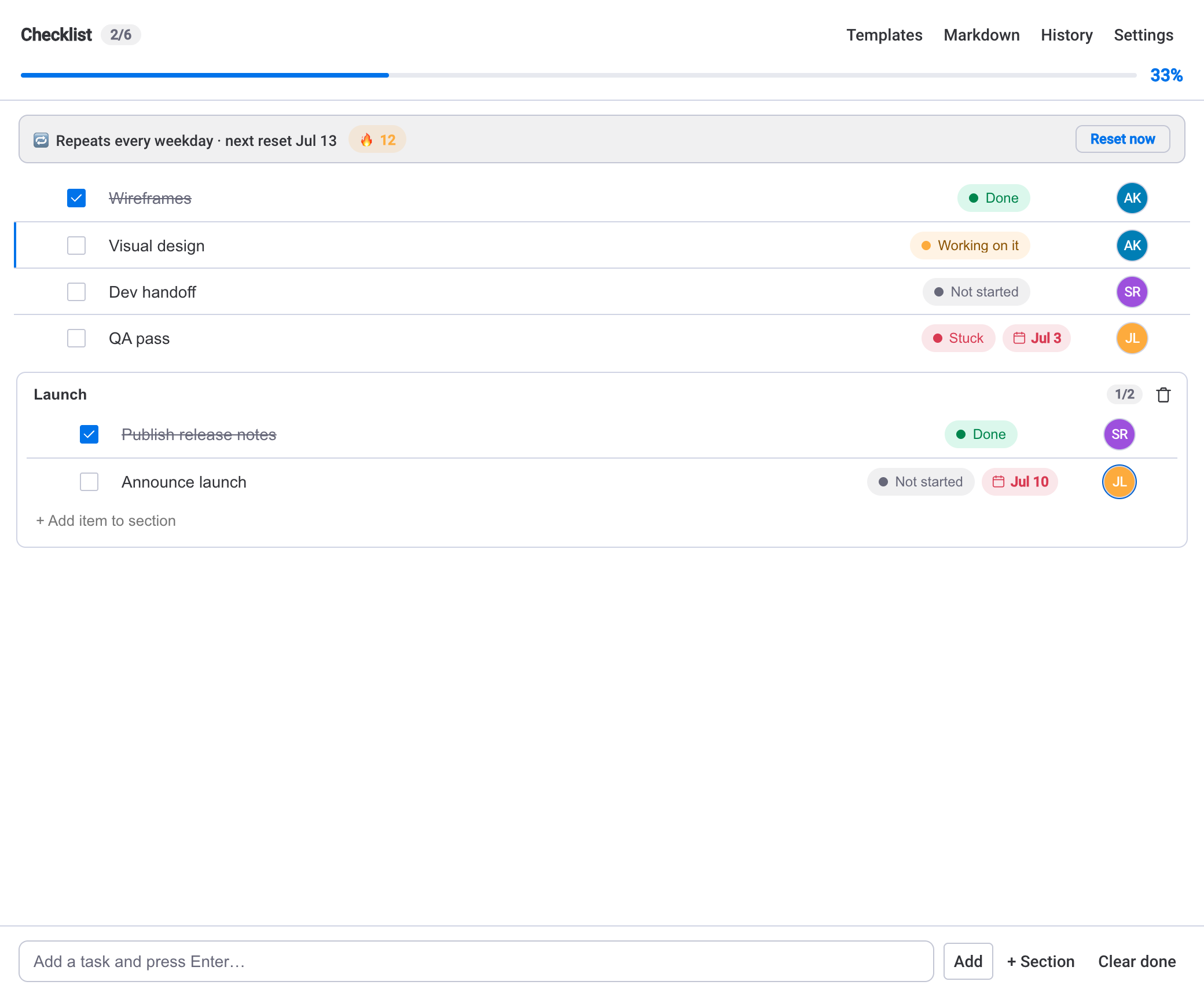
Templates and recurring routines solve related but distinct problems. A template answers "apply the same checklist to a new item". A recurring routine answers "the same checklist should come back on a schedule and reset itself". They pair naturally: a routine that repeats daily, weekly or monthly can carry the standardised structure you would otherwise apply by hand.
Recurring routines add their own mechanics — a repeat schedule, a completion streak, and step dependencies where a blocked step waits and the next one surfaces. We do not re-explain the reset mechanism here; the guide to building a recurring checklist in monday.com covers that in full. The short version: reach for a template when you apply a process to items on demand, and reach for a recurring routine when the same process should return automatically on a cadence.
Templates vs. subitems for repeatable steps
monday.com already has subitems, and it is fair to ask why not just template a set of subitems instead. Subitems are full board rows: powerful, but heavier, and they clutter the item when all you want is a tick-list of steps with a progress bar. A checklist template gives you the lightweight, self-contained structure — sections, owners, due dates, a live percentage — without turning every step into a board row.
Which one fits depends on how much each step needs to behave like a first-class task. Our comparison of checklists and subitems walks through the trade-off in detail; for standardising a repeatable process, a template is usually the lighter, faster tool, and it keeps the whole routine in one tidy place on the item.
Put together, a monday.com checklist template turns a process you keep re-typing into something you apply in one click, run the same way every time, and improve in a single place. That is the difference between hoping a process is followed and building it into the item itself.