

Time in Status — Status Aging Alerts for Jira
Track how long issues sit in Review, QA, Blocked or any workflow status — with an overdue and at-risk dashboard, five time-in-status reports, per-status thresholds and alerts that fire before stuck work slips.
Works with Jira Cloud and your existing workflow statuses.
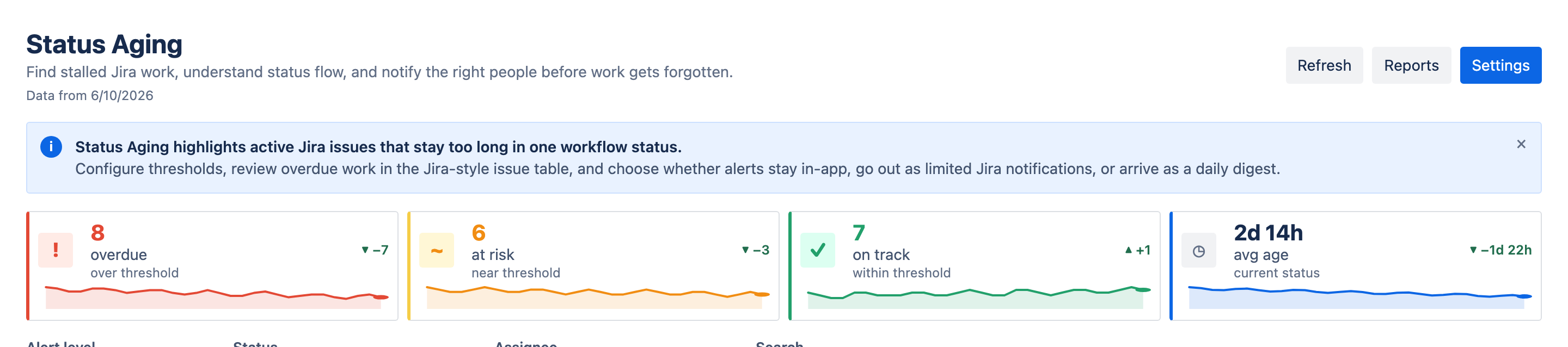
Catch stuck work before it hurts
Delivery slips quietly — a day here, a week there. This makes that visible.
Spot stuck work early
Overdue and at-risk tiles with trends show today's problems, not the retro's.
Measure the whole flow
Five reports — matrix, averages, aging WIP, ping-pong and CFD — from one scan.
Act without leaving Jira
Comment, snooze, ignore or export — right from the table row.
What it does
Time in Status — Status Aging Alerts for Jira tracks how long issues sit in each workflow status and alerts before stuck work slips. Set per-status thresholds — picked from your project's real workflow, with optional business-hours counting — and Time in Status surfaces what's overdue or at risk today on a dashboard with trends and a sortable issue table.
Dig deeper with five reports — time-in-status matrix, averages, aging WIP, ping-pong and CFD — or open the issue panel on any Jira issue for its health banner, lifecycle path and status history. Then comment, snooze, ignore or export to follow up.
From "what's stuck?" to "handled"
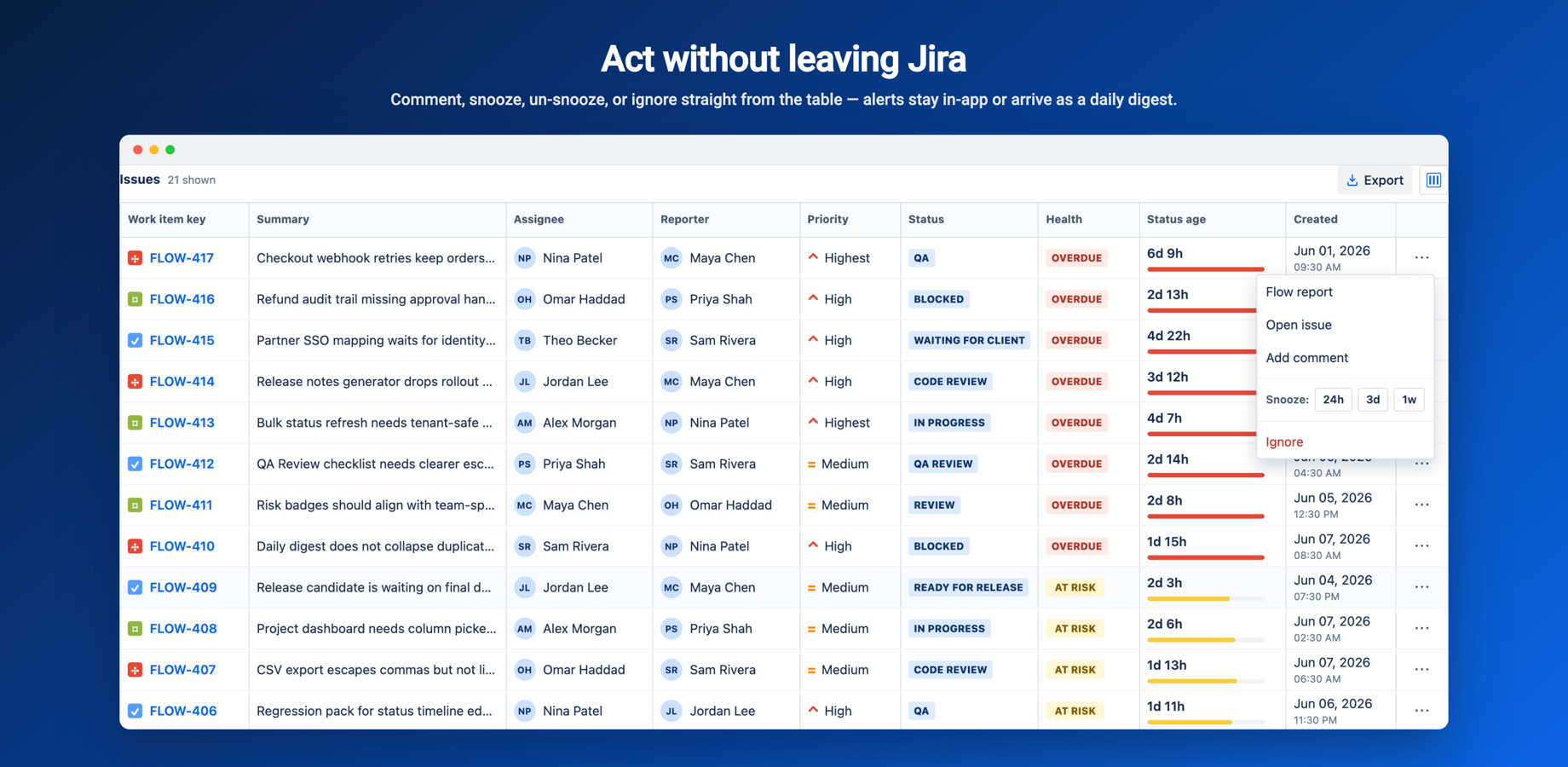
See overdue and at-risk issues
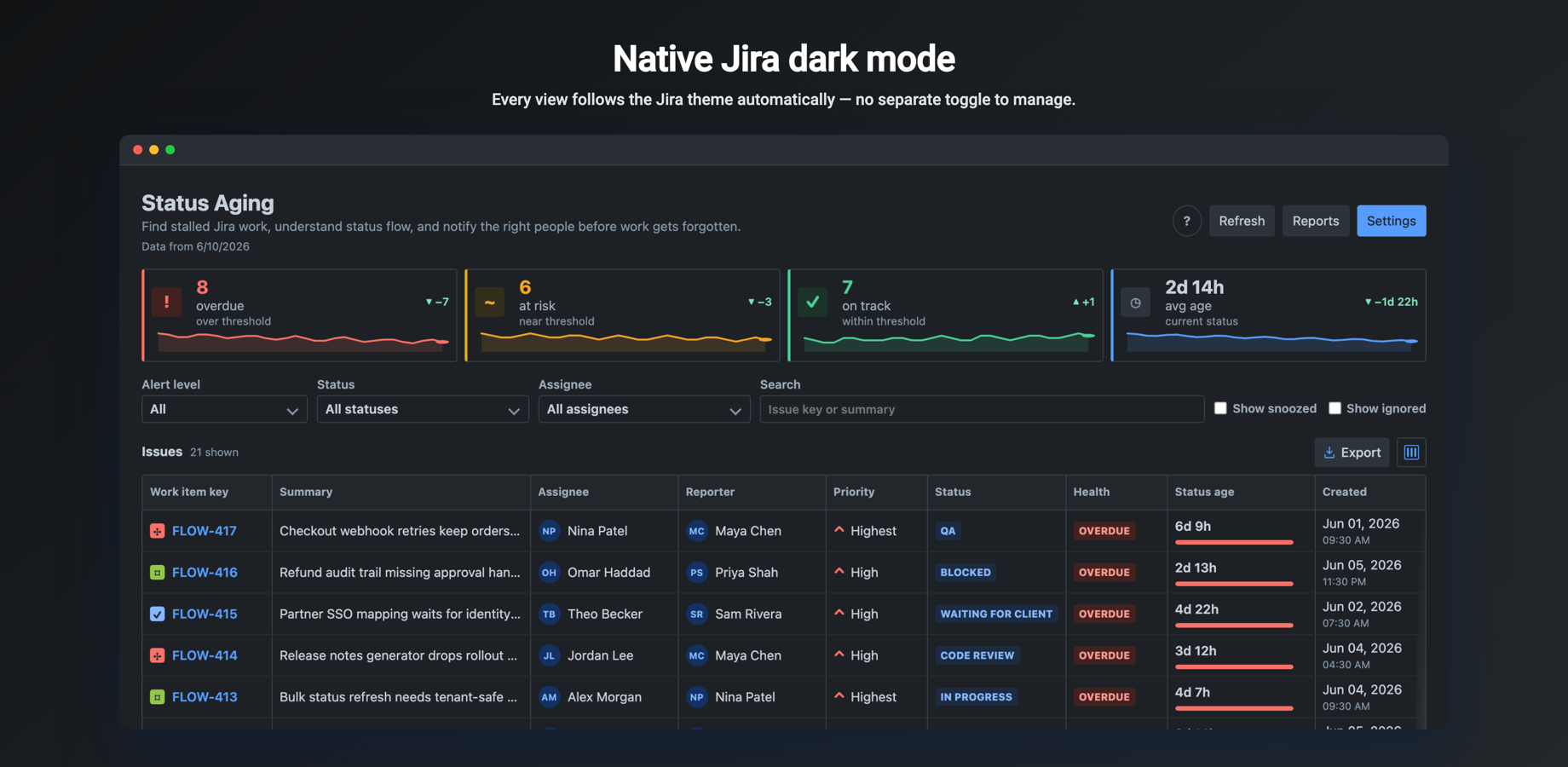
Colored Overdue, At risk, On track and Avg age tiles with sparkline trends and delta chips. Click a tile to filter the Jira-style issue table — sortable, with a column chooser and CSV export — and scan the analytics cards for top bottleneck statuses, work that needs attention, aging breakdown and health distribution.
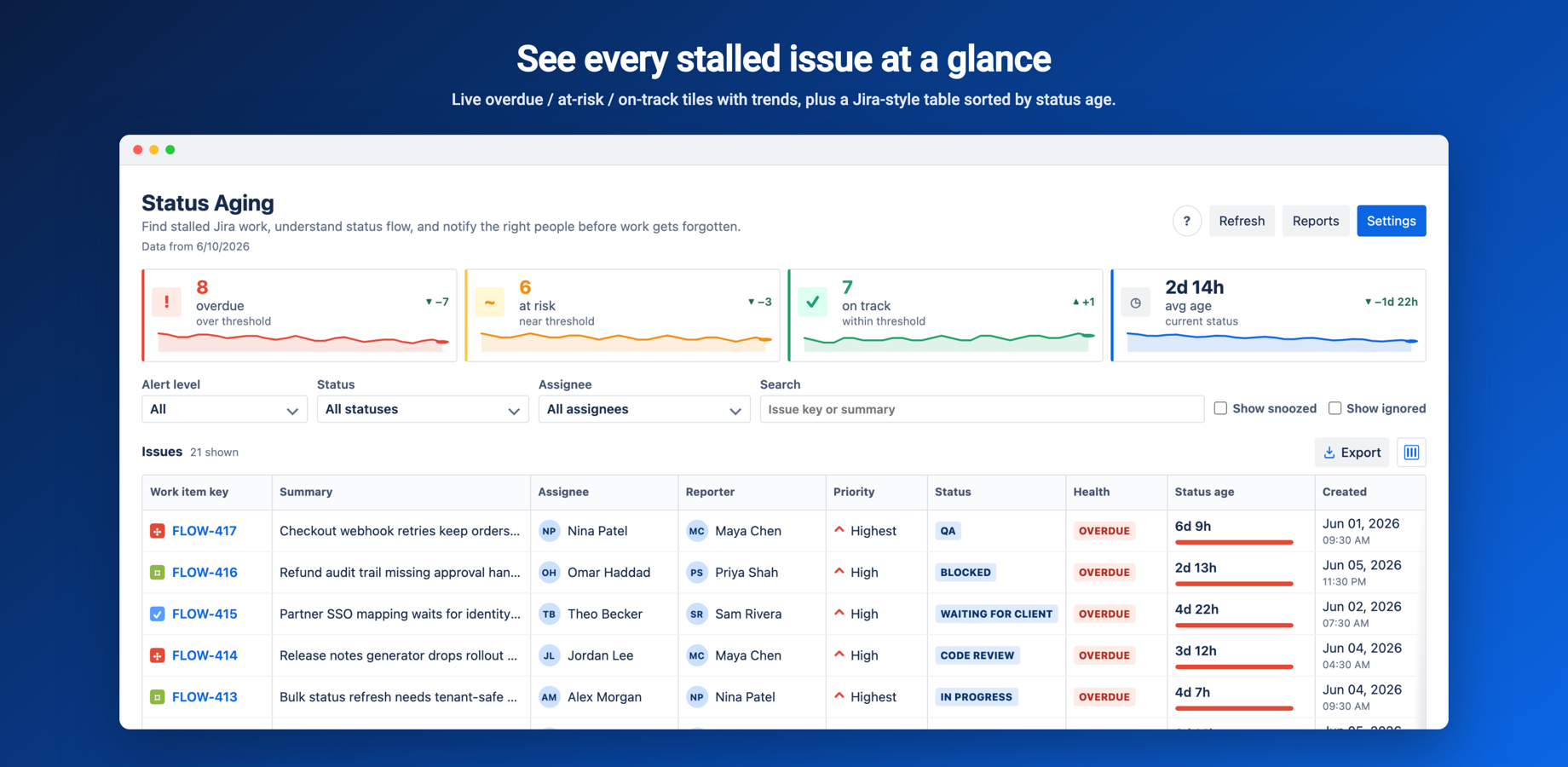
Five time-in-status reports from one scan
Time in status matrix with heat shading and over-threshold cells in bold red, sortable averages, an aging WIP scatter of status age vs threshold, ping-pong detection for issues bouncing between two statuses, and a CFD cumulative flow diagram. Each report has an explainer, freshness stamp and CSV download.
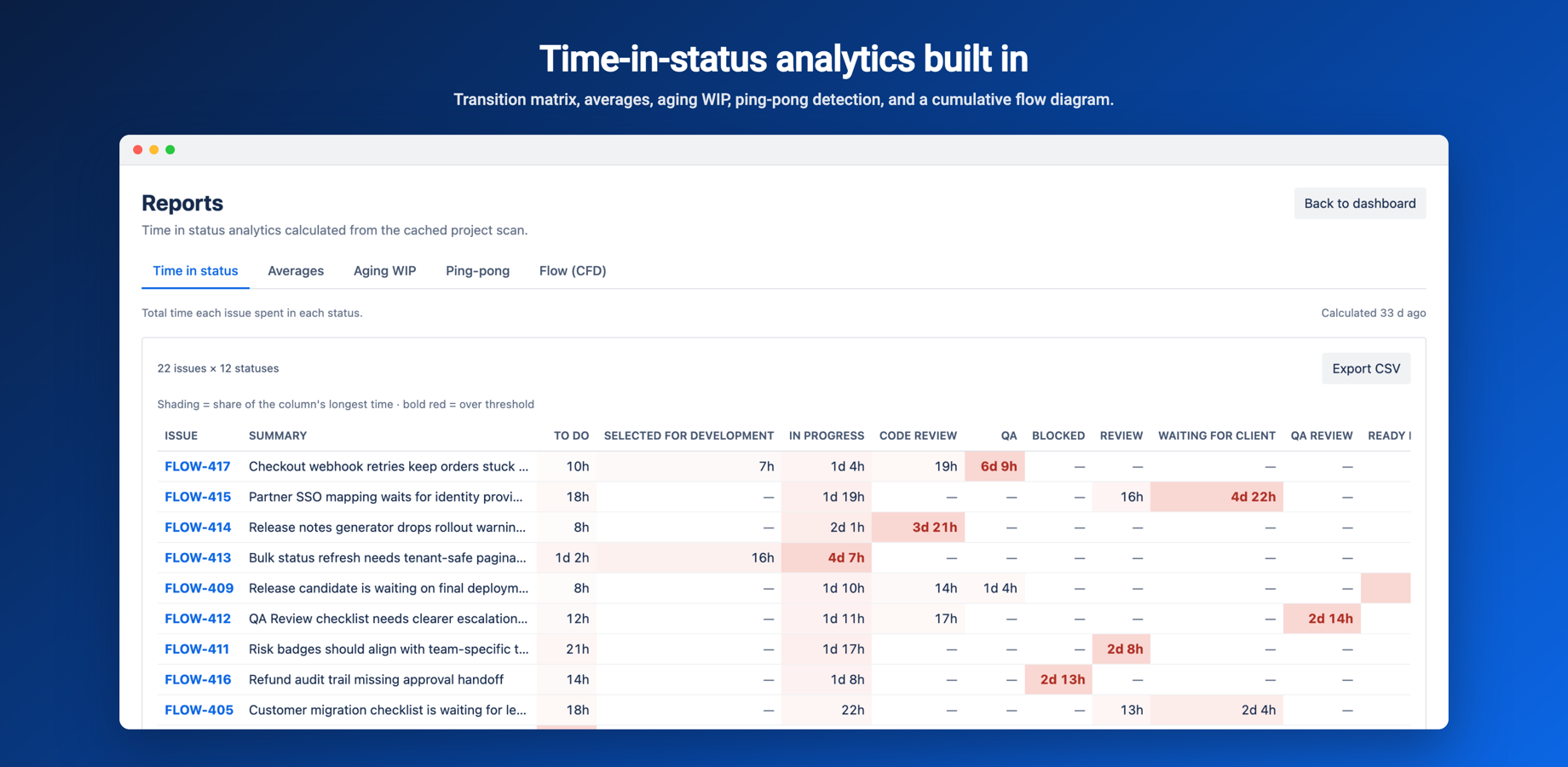
Comment, snooze, ignore and export
From the table row menu: open the Flow report, open the issue, add a comment, snooze for 24h, 3d or 1w (unsnooze when plans change), ignore or restore. Alerts stay in-app, go out as rate-limited Jira notifications, or arrive as a daily digest.
Issue health on every Jira issue
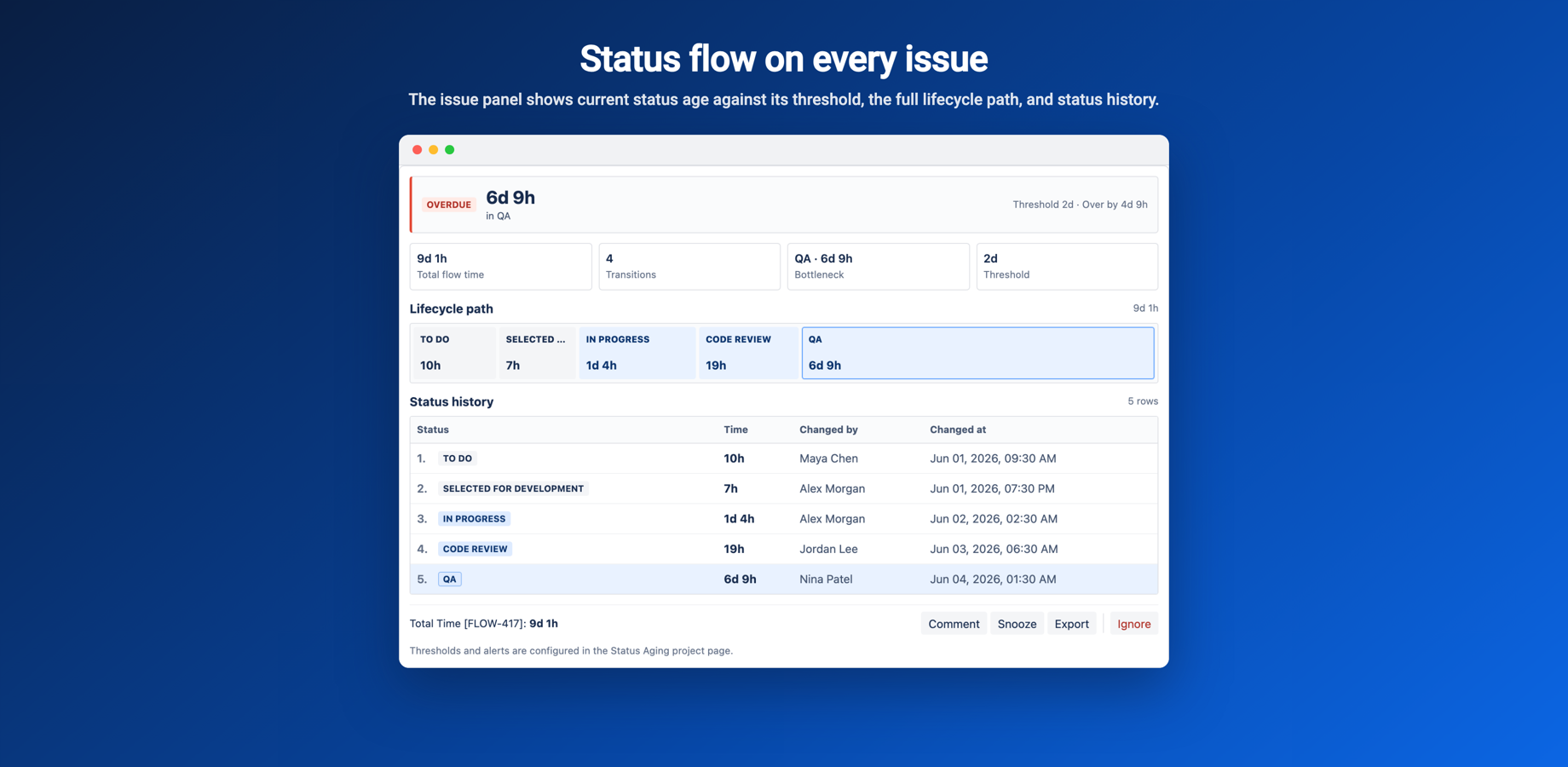
A health banner shows OVERDUE, AT RISK or ON TRACK with the current status age, threshold and over-by time. Stat tiles cover total flow time, transitions, bottleneck and threshold, followed by the lifecycle path, status history and a per-issue Flow report with CSV export.
Per-status thresholds and business hours
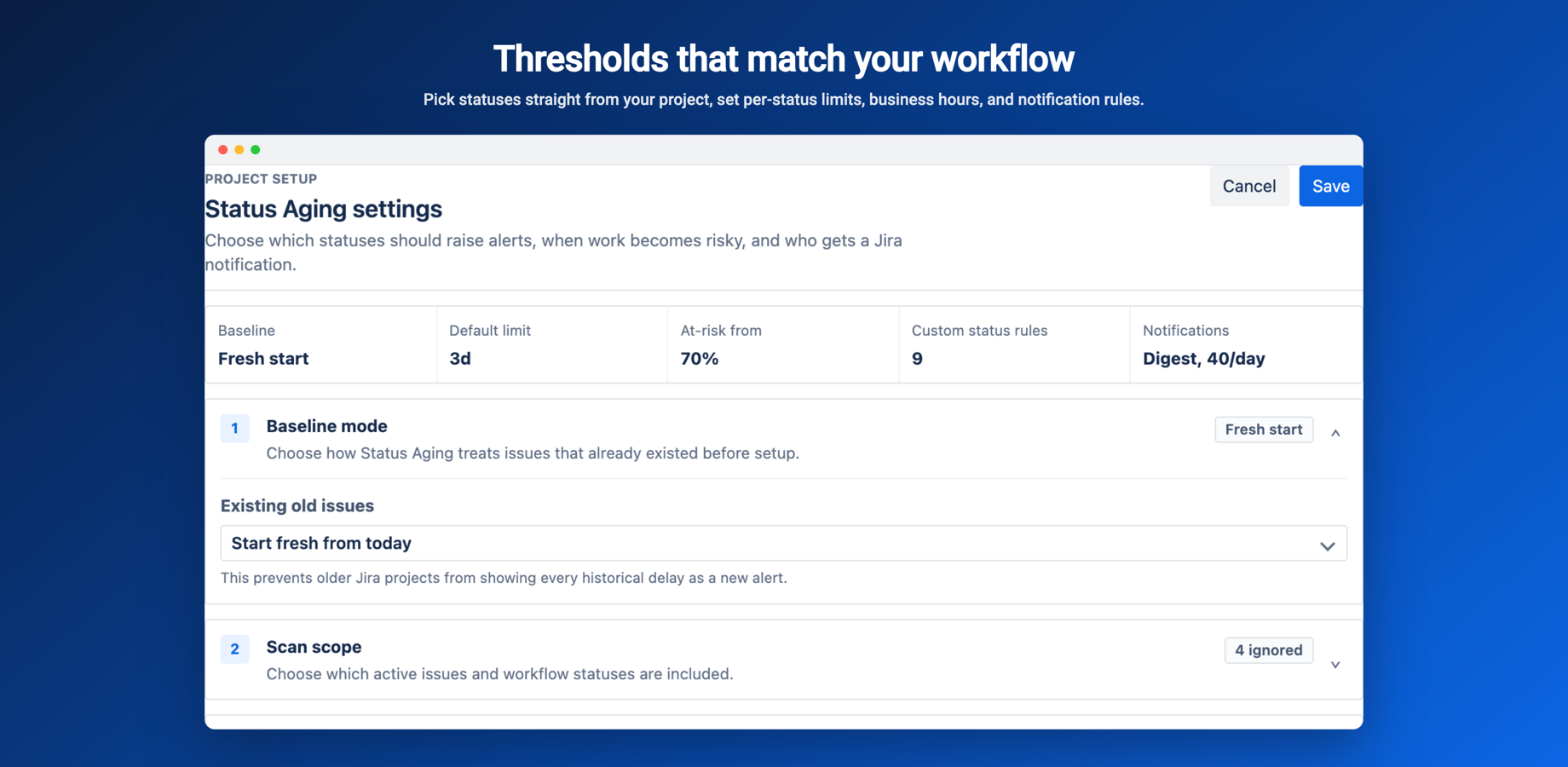
Set a threshold per status — picked from your project's real workflow statuses, live from Jira — with an at-risk percentage that warns before the deadline. Optionally count only business hours, timezone-aware, instead of calendar time.
Native Jira dark mode
Built with Atlassian design tokens, so the dashboard, reports and issue panel follow your Jira theme automatically — and history trends are recorded on every scan.
Questions, answered
Which Jira does it work with?+
What does the app show me?+
Can I act on an alert?+
Can it count business hours instead of calendar time?+
How do I get support, and what does it cost?+



Guides for Time in Status
Practical how-tos and deep dives on Time in Status — Status Aging Alerts for Jira, from the team that builds it.
Time in Status Reports for Jira: Matrix, Aging WIP and CFD
Five reports from one project scan — the time-in-status matrix, averages, aging WIP scatter, ping-pong and CFD — and what each one tells you about your flow.
Read the guide →Business Hours vs Calendar Time for Jira Time in Status
A ticket that sits over the weekend didn't really wait two days. When to count only working hours, timezone-aware, and how it changes your thresholds.
Read the guide →Beat Jira Alert Fatigue: Snooze, Ignore and Daily Digests
Alerts only work if people still read them. How snooze, ignore/restore, rate-limited notifications and a daily digest keep the signal worth trusting.
Read the guide →Jira time in status: the metric that predicts missed deadlines
Time in status shows where work slows down, status by status — and watched live, it warns you about a slip while there is still time to prevent it.
Read the guide →How to find Jira workflow bottlenecks before they cost you
A workflow bottleneck is a column, not a ticket. Here is how to spot the status where work piles up, prove it with dwell time, and catch it early.
Read the guide →What is status aging in Jira (and why issues get stuck)?
Status aging tells you how long an issue has sat in one status — the earliest, clearest signal that work is stuck, long before a cycle-time report would show it.
Read the guide →A practical playbook to reduce cycle time in Jira
A practical playbook: find the biggest status wait, shrink it, cap work in progress, and alert on aging so the delay never quietly comes back.
Read the guide →How to find stuck Jira issues before they blow a deadline
Boards show you where issues sit, not how long. Here's how to surface aging work with JQL, time-in-status, and automated alerts before a deadline slips.
Read the guide →Jira WIP limits, status aging and SLAs: keeping work flowing
WIP limits count work; status aging times it; SLAs set the deadline. Here's how to combine all three so stuck Jira issues surface before they cost you.
Read the guide →Find your stuck issues
Install from the Atlassian Marketplace, or reach out with questions.