
 Jira · Guide
Every time-in-status number is built on a decision most teams never consciously make: what counts as an hour? If the clock runs around the calendar, an issue "ages" while the whole team sleeps, and a Monday-morning dashboard accuses everyone of a slow weekend. If the clock runs only during working hours, the same issue shows exactly the time a human could actually have spent on it.
Neither answer is universally right — but mixing them up quietly poisons thresholds, averages and alerts alike. This guide covers how the two counting modes differ, where calendar counting distorts your time in status numbers, and how to switch Time in Status — Status Aging Alerts for Jira to timezone-aware business-hours counting when your team's week has edges.
Two ways to count the same wait
Calendar time is the default almost everywhere: the clock starts when an issue enters a status and runs continuously — nights, weekends, public holidays — until it leaves. It is simple, and it matches how a customer experiences a wait: three days is three days, whether or not anyone was at a desk.
Business-hours counting advances the clock only inside a working window — say, 9am to 5pm, Monday to Friday, in a specific timezone. Outside the window the clock pauses. An issue that sits in In Review from Friday 4pm to Monday 10am has accumulated two working hours, because that is all the working time that actually elapsed.
Put differently: calendar time measures how long the world waited; business hours measure how long the team had. Alerts and thresholds are judgements about the team, which is why they are usually the first thing business-hours counting improves.
Why a "2-day" threshold means different things
Take the most common threshold there is: nothing should sit in review for more than two days. Under the two counting modes, that sentence describes two different rules:
- Calendar: 48 elapsed hours. An issue entering review at 4pm Friday breaches at 4pm Sunday — the alert fires while nobody is working, and by Monday standup the flag is stale and already ignored.
- Business hours: 16 working hours (two 8-hour days). The same issue breaches around Tuesday afternoon — after the team genuinely had two working days and did not act. That flag is fair, and fair flags get acted on.
The gap is not academic. Between a Friday-afternoon transition and Monday 9am, roughly 65 calendar hours pass but only one working hour does. Any threshold shorter than about three calendar days will regularly fire on weekends alone — which means under calendar counting your shortest, most useful thresholds are exactly the ones that produce the most false alarms.
A threshold is a promise about attention
When you set "2 days on review", you are really promising that a human looks at the work within two days of it arriving. Humans keep working-hours promises, not calendar ones — so if the threshold describes team behavior, count team hours. Pick the mode first, then set the numbers.
The weekend distortion: red Mondays and inflated averages
Calendar counting distorts more than individual alerts — it bends every aggregate you rely on. The two most common symptoms:
- The Monday wall of red. Every issue that transitioned late in the week crossed some threshold over the weekend, so Monday's dashboard opens on a block of overdue flags that describe the calendar, not the team. Two Mondays of that and people stop reading the dashboard — the fast lane to the alert fatigue spiral.
- Averages that lie by 40%. A status whose true cost is eight working hours reports nearly three days whenever a stay straddles a weekend. Averages built on those numbers overstate weekend-adjacent statuses, and thresholds set from those averages inherit the error — too loose during the week, still breached on weekends.
The distortion is also uneven, which is the sneaky part: work that lands in a status on Tuesday is measured honestly, work that lands on Friday is penalized. Same team, same diligence, different numbers — purely by the day of the week the transition happened.
Timezones: whose 9-to-5 is it?
The moment you count working hours you have to answer a second question: working hours where? A 9-to-5 window without a timezone is meaningless, and for distributed teams the wrong timezone quietly shifts every measurement by hours in one direction.
Business-hours counting in Time in Status is timezone-aware: you configure the timezone the working window applies to, and the clock advances during those hours regardless of where any individual viewer sits. The practical advice is boring and effective — pick the timezone where the measured work actually happens (usually where the reviewers or the bulk of the team sit), write it down next to your threshold policy, and resist per-person cleverness. One clock, applied consistently, beats a perfect clock nobody can reason about.
Enabling business hours in Time in Status
The counting mode lives in the app's settings, alongside the per-status thresholds. Setup takes a few minutes:
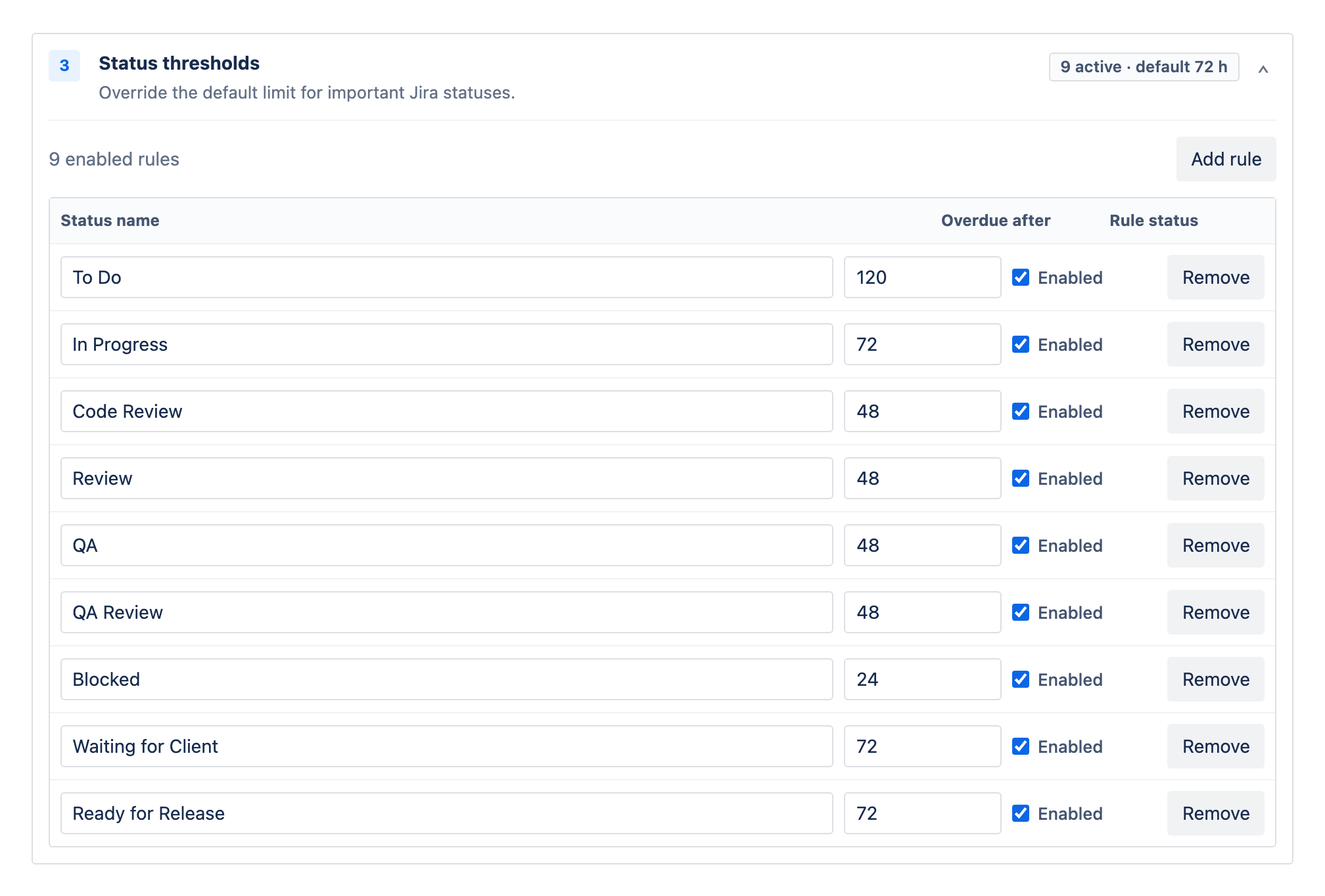
- Switch the counting mode from calendar to business hours and confirm the timezone. The option is timezone-aware, so the working window means your team's working window.
- Review your thresholds. Statuses are picked from your project's real workflow — live from Jira, not typed by hand — and each gets its own threshold. Values keep their meaning but change their strictness: "2 days" now means two working days, so a threshold you padded to survive weekends can usually be tightened.
- Keep the at-risk buffer. The at-risk percentage flags issues approaching their threshold; with the weekend noise gone, that early-warning lane becomes trustworthy instead of just early.
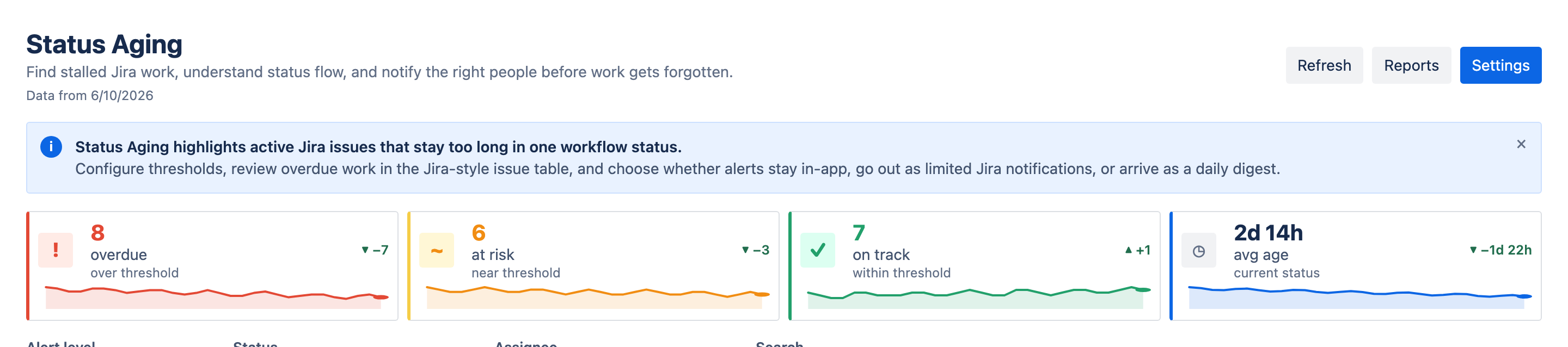
Once switched, the mode applies everywhere consistently — the dashboard tiles, all five reports, and the issue panel count the same working hours, so a number seen in one view never contradicts another.
Switch once, then leave it alone
Trends only mean something when every scan counts the same way. Flipping between modes makes this week's average incomparable with last week's, so treat the counting mode as a one-time policy decision: switch, re-check your thresholds against a week of new numbers, and stop touching it.
When calendar time is the right choice
Business hours are the better default for internal flow metrics, but calendar time keeps real use cases — the test is simple: does the clock your audience cares about stop at 5pm?
- Customer-facing SLAs. If you promised a customer a resolution in three days, the customer's three days include the weekend. Measure the promise the way it was made.
- 24/7 operations. On-call rotations, incident queues and follow-the-sun support have no off-hours; calendar time is their business time.
- Compliance clocks. Regulatory response windows are usually defined in calendar days and do not care about your Fridays.
Plenty of teams legitimately need both views — working-hours thresholds to run the team, calendar figures to report a customer promise. The mistake is not choosing either mode; it is letting one number silently stand in for the other. Decide what each threshold is really promising, set the mode to match, and your Monday dashboard will finally say something about the team rather than the weekend.